
Business email finder for Google Maps leads
GridLead visits a company's public website and up to three related pages, such as Contacts or About, to find published email addresses. Source pages are saved with each address. Some websites block crawling or publish no email; mailbox delivery is not verified.
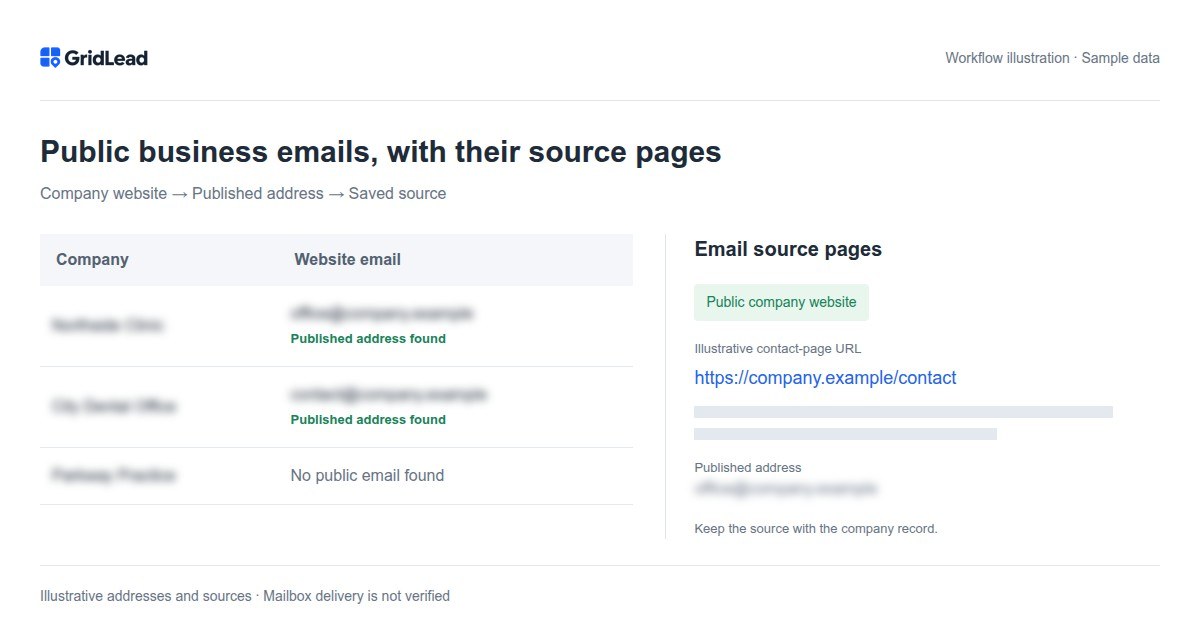
Keep company context with each email address
A contact list is easier to maintain when an address stays connected to its company, website, category and source page. Instead of collecting a bare column of emails, export the company records and preserve those relationships. This helps a colleague distinguish a general business mailbox from an address used for another purpose. Keep a note of when you searched: a saved page URL is evidence of where the address was found, not a guarantee that it remains published indefinitely. Downloading the export again does not by itself run a fresh website crawl or verify the mailbox.
Business email discovery starts with the company website
A search for a Google Maps email scraper usually combines two needs: finding relevant businesses and finding a way to contact them. Those are separate data sources. GridLead uses Maps search results to discover companies by city and category, then checks the public websites linked from company listings for published email addresses. It does not treat a Google Maps listing as a guaranteed source of email.
This makes the feature useful for lists of public business contacts, such as a general office, reception or service address a company has chosen to publish. It is not a database of named decision-makers, a tool for guessing employee address patterns or a mailbox verification service. An email found on a site remains a published address, not a promise that a message will reach an inbox.
How to find public emails for local businesses
Set up the business search first. Choosing a relevant territory and category matters more than collecting the largest possible list: a published address for an unrelated company is not a useful prospect. Website checks run alongside company collection, so visible results may still have pending email discovery.
- Choose the city or administrative area, check its boundary and enter the business category. Start the search from the workspace.
- Let the website checks finish. GridLead visits the home page and up to three related pages, such as Contact or About, looking for published addresses and mailto links.
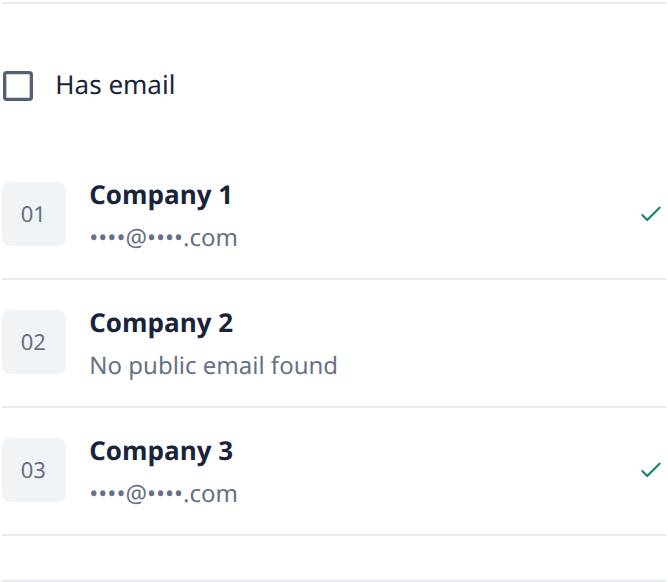
- Review the email field and saved source pages. Use the email filter to focus on companies with a discovered address, without confusing missing data with a failed search.
- Export the available contacts to Excel or CSV. Keep the email source column when handing the list to a colleague so the address can be checked in context.
Why email source pages matter
The same company may publish several addresses for different purposes: reception, support, careers or another department. Finding a string that looks like an email is not the same as finding the right contact for your task. A saved source URL lets you open the page and read the surrounding text before choosing an address. Keep the source with the company name rather than separating all emails into an anonymous column.
Understand pending, missing and restricted email results
A website check can have several outcomes. Checking means the work has not finished. No public email found means the inspected pages did not yield an address; the company may use a form or publish its contact somewhere else. Crawling restricted means the check was limited by the site's rules or access restrictions. Website unavailable means the requested page could not be inspected. These outcomes should not be treated as interchangeable.
GridLead does not log into websites, solve access challenges or bypass protection. It checks a limited set of public HTML pages rather than every URL on a domain. As a result, a company can be found successfully while its email remains missing. The number of companies collected and the number with discovered email are different metrics.
Review a public business email list before using it
Start with a small sample. Check that the website belongs to the listed company, the source page still publishes the address and the address is suitable for the purpose you have in mind. The feature does not test SMTP delivery, guarantee mailbox ownership or assess whether a company is interested in your offer. Keep uncertain records separate and review the outreach requirements that apply to your use. Public availability alone should not be treated as permission for any campaign.
What a Google Maps email scraper actually needs to check
The phrase Google Maps email scraper can describe a two-stage workflow. First, find businesses and their website links from Maps results. Then inspect those public company websites for published email addresses. GridLead follows that distinction: its business email finder does not assume that a Google Maps listing contains a downloadable email field. A listing without a website cannot use the same website-discovery path.
This matters when comparing products. A tool that extracts phone numbers and website URLs has not necessarily found emails. A tool that guesses employee addresses from names is solving another problem. GridLead looks for addresses and mailto links already published on accessible company pages, keeps the source pages and does not claim that the results are personal decision-maker contacts or verified inboxes.
Use the search category and city to maintain business context throughout discovery. An email address is more useful when you know which company it belongs to, where that company is located and which public page supplied it. Preserve those fields together during export and review. If several listings share a website, examine whether they are branches of the same organization before treating the shared contact as several independent prospects.
Business email finder, email extractor or email verifier?
Choose a tool by the input you have and the output you need. A generic email extractor may scan pasted text, a document or a single URL. A business email finder may instead begin with a company or domain. A local-business workflow starts even earlier: you have a territory and a category, but not yet a list of websites. GridLead combines that company discovery with public website checks so addresses stay attached to business records.
An email verifier is not interchangeable with either workflow. Finding an address on a page establishes its publication source; it does not establish current mailbox availability. GridLead does not perform delivery verification. If you need verified deliverability, that is a separate requirement to evaluate with an appropriate service, not a status to infer from the presence of a source link.
Before choosing a business email finder, inspect what it returns when a website is missing, a page is inaccessible or no address is published. Ask whether the tool retains the source, distinguishes pending checks from completed checks and exports the company context. A claim of an email for every company is not a substitute for showing where those addresses came from. Start with a small representative sample of your intended category rather than judging quality by a large headline count.
Review an email-discovery sample before building a larger list
Take a few records with different outcomes: a published email, a missing email and a company without a website. For the published result, open the saved source and confirm that the page belongs to the intended business. Read the context around the address. A general contact address, a careers inbox and a support address may all be public, but they serve different purposes. Do not label every collected address a sales contact.
For a missing result, inspect the company website manually if that record is important. A contact form, restricted page or address rendered in an unusual way can explain the gap. GridLead checks a limited set of public pages rather than promising to exhaust every page on a domain. It does not log in to private areas or bypass website protection. Mark a record for manual review instead of guessing an address to make the column look complete.
When discussing collection quality, keep the denominator explicit. The number of companies with a website is different from the number of all companies, and pending checks are different from completed checks. Comparing published email results against completed website checks gives a more useful operational picture than dividing by every listing while discovery is still running. This is a review method, not a promised discovery rate for your category or location.
From Google Maps to your CRM
Before sending email-bearing companies to a CRM, wait for website discovery and review the published addresses and source pages. HubSpot creates or matches email contacts and associates them with companies; Pipedrive stores collected addresses in organization notes. Finding an address does not verify delivery or authorize marketing outreach.
Frequently asked questions
Will every company have an email?
No. Some have no website, publish only a form or restrict access. The website check is limited and does not guarantee an address for every company.
Are the collected emails verified?
They are published addresses with source pages, not delivery-verified mailboxes. GridLead does not run SMTP or deliverability verification.
Why can the email count change after companies appear?
Company collection and website checks are separate work. A listing can appear before its website has been inspected. Wait for the email checks you need before exporting a final list.
5 free searches per month · up to 200 unlocked companies per search · no card needed
Start for free →Try the demo →